
Flat, artificial shine
Highlights spread across the forehead or cheeks as a uniform glossy patch, rather than following small changes in texture and light.
Too smooth, too shiny, too waxy? Use an AI image humanizer to generate more natural-looking texture and lighting on an existing AI photo. Compare the details before you download.
Drop your AI photo here, or click to select
JPG, PNG, or WebP up to 10 MB (longest edge at least 256px)
New accounts get 10 welcome credits. One standard photo uses 10 credits. Try 1 standard photo without a card. Verify your email once before processing. Welcome credits expire 7 days from grant at registration, not from email verification.
Waxy skin, white edge halos, wet lacquer shine, plastic food or fur gloss
Identity, facial expression, pose, clothing, visible text, and aspect ratio
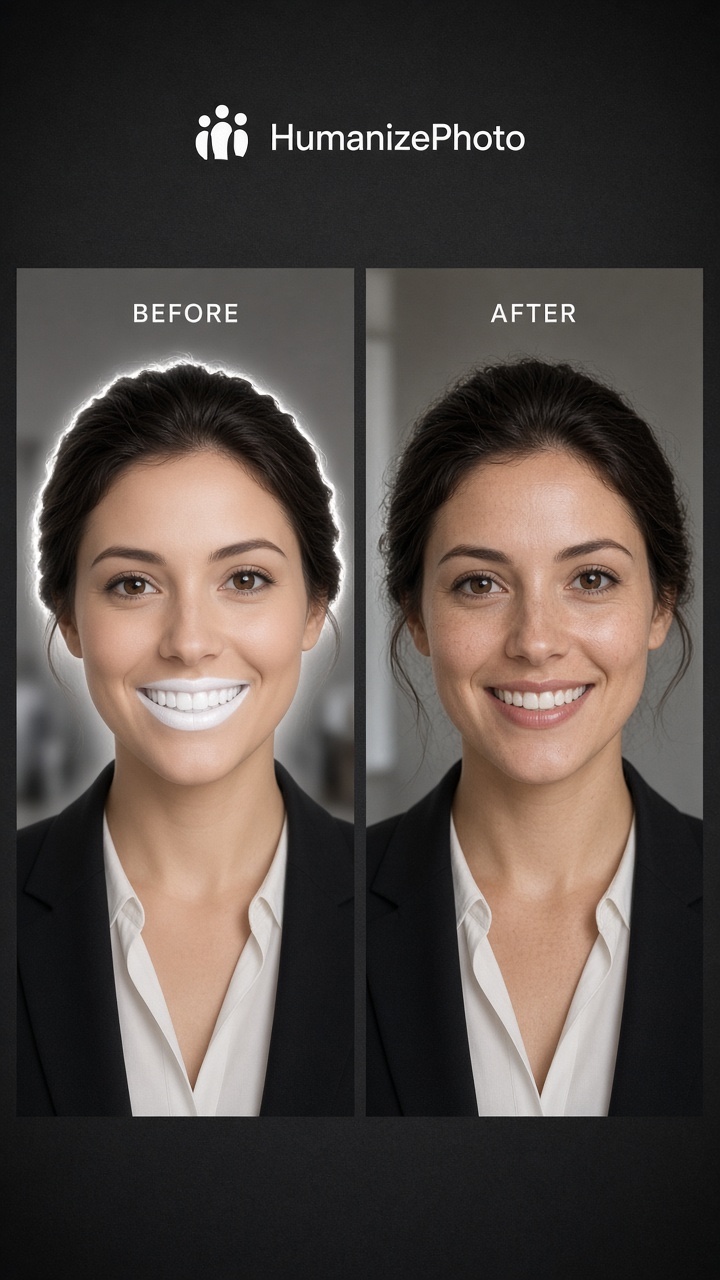
Highlights spread across the forehead or cheeks as a uniform glossy patch, rather than following small changes in texture and light.
At normal viewing size, skin looks uniformly smooth. Adding plausible texture can make it feel less synthetic, but cannot recover real pores.
Skin tones blend into a wax-like surface while eyes, hair or clothes stay sharp. Check the whole image, not just the cheeks.
A beauty filter often smooths skin. Some tools use the term “skin enhancer” for retouching. HumanizePhoto is an AI image humanizer: it works on already-generated AI photos to generate more natural-looking texture and lighting, rather than simply smoothing or enlarging them.
Fine details can change, including teeth, hair, lettering and backgrounds. A recognizable face is not a guarantee of exact identity or unchanged features. Keep your original and inspect the result for your intended use.
Choose an existing AI photo you have the right to use. Sign in and verify your email before processing.
Run the existing AI image humanizer to generate texture and lighting adjustments. Failed tasks refund the credits used.
Compare before and after, check the face and background details, then download your PNG if the result suits your use.
HumanizePhoto is an AI image humanizer for already-generated AI photos. The aim is more natural-looking texture and lighting, not smoother skin or a beauty makeover.
The result may retain a recognizable face, but generated details can change. Compare eyes, mouth, teeth and expression, as well as text and backgrounds. Exact identity and pixel-level preservation are not guaranteed.
New accounts get 10 welcome credits. One standard photo uses 10 credits. Try 1 standard photo without a card. Verify your email once before processing. Welcome credits expire 7 days from grant at registration, not from email verification. Failed tasks refund the credits used.